Learn how to create an ACF field to display your Social media links in WordPress, compatible with the free version of ACF.
This comprehensive tutorial explains how to set up a system of links to your social profiles (Facebook, Instagram, Twitter, LinkedIn, YouTube, TikTok) without complications.
Discover how to use a shortcode to publish your social media anywhere on your website. We recommend implementing this field in your site’s header or footer for better visibility and accessibility.
Also compatible with Elementor for users preferring a code-free approach. Free PHP and CSS code provided and ready to use immediately. Perfect for enhancing your digital presence and strengthening your online engagement strategy with minimal effort.
Enable the ACF Repeater and Social media fields
The ACF plugin is installed and active.
The EAC components plugin is installed and active.
In the dashboard select EAC components link and ACF tab then enable the ACF repeater field and the ACF social field options and save settings.
Now you are ready to build and display the content of the field with Gutenberg or Elementor.
Create a repeater with it social media field
You need to know how to create a field group and associated fields, as well as how to define the rules for associating them with publications. To create and publish a social media list, you must use a Repeater.
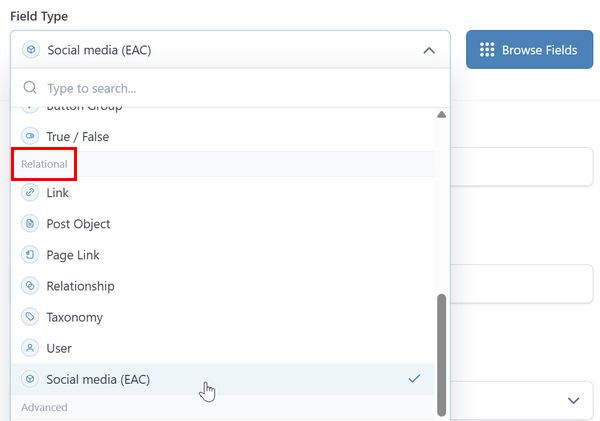
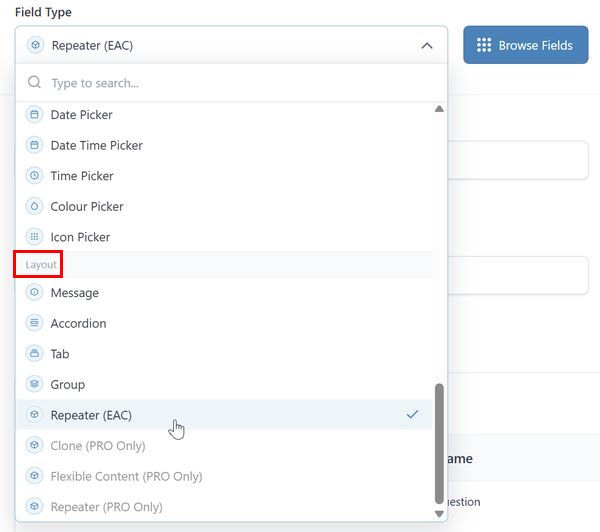
After creating the field group, select the Repeater (EAC) option in the Layout section then add the Social media (EAC) option in the Relational section as a dependent field, the location rules and save change.
You can also use the EAC Option pages to make your social medias global to your site and not attached to a particular publication, post type or template.
To use Option Pages follow this link.
Create a list of social media
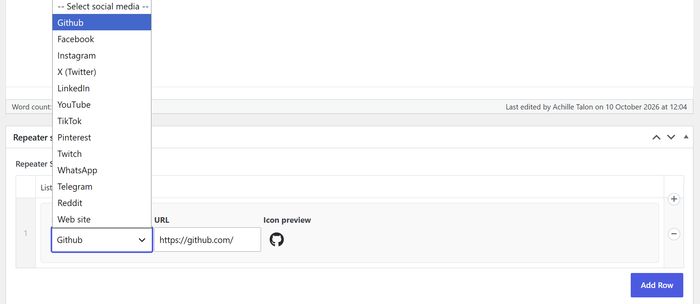
In a post open the Meta boxes section and the Repeater label field section, then add a social media using the Add row button.
Complete the URL with your username or ident.
The SVG preview icon is displayed.
How to add social media to the list
The list of social media is limited. You can add other entries to the list using the filter eac_social_networks as follow.
add_filter( 'eac_social_networks', function ( $networks ) {
$networks['website'] = array(
'name' => 'website',
'label' => 'Web site',
'color' => '#54595F', // Brand color of Website
'url' => 'https://my-website.com',
'svg' => '<svg aria-hidden="true" class="eac-social__icon website" viewBox="0 0 496 512" xmlns="http://www.w3.org/2000/svg"><path d="M336.5 ....</path></svg>',
);
return $networks;
} );Display ACF social media field with a Shortcode
In the Gutenberg or Elementor editor, perfect for Header/Footer template, add a Shortcode block/widget and add the attributes of the shortcode:
eac_social_mediaas shortcode name
field = the field name or field key as indicated in the ACF group you created
id = post ID. Default the ID of the current post
OR author = ‘yes’ Author of the current publication
/* With default option for current post */
[eac_social_media field='repeater_smedias']
/* Social media from the post ID, Options page !! */
[eac_social_media field='repeater_smedias' id='81641']
/* Social media for the profile of the author of the current post */
[eac_social_media field='repeater_smedias' author='yes']Apply your custom CSS
Modify the container and social media elements by applying your own CSS.
For that follow this link
selector .acf-field__social-container {
font-size: 1.3rem;
background-color: transparent;
}